Kukini Plugin for ChatGPT
 Steven Pal • 2 min read • September 22, 2026
The Kukini ChatGPT Plugin is officially live in the ChatGPT Plugin Directory!
Earlier this year, we introduced our Model Context Protocol (MCP) server, opening up new ways for parents and families to connect their favorite AI assistants to their Kukini accounts. Today, we’re making that integration seamless and accessible to all ChatGPT users with just a few clicks.
What’s New?
Bringing AI into your family management routine shouldn't require technical setup or downloading extra software. With our new ChatGPT Plugin:
- One-Click Installation: There is nothing to download or configure manually. Just search for Kukini in the ChatGPT Plugin directory (or click here to access it directly), click Install, and sign in to Kukini to link your account.
- Available to All ChatGPT Plans: Whether you’re using ChatGPT on a Free or Plus plan, you can connect your Kukini family account in seconds.
- Powered by Kukini Premium: As long as your Kukini account is on a Premium plan, you can start managing your family tasks, events, and schedules right from your ChatGPT conversations.
How It Works
Once connected, ChatGPT becomes a truly personalized assistant for your household. You can ask ChatGPT to:
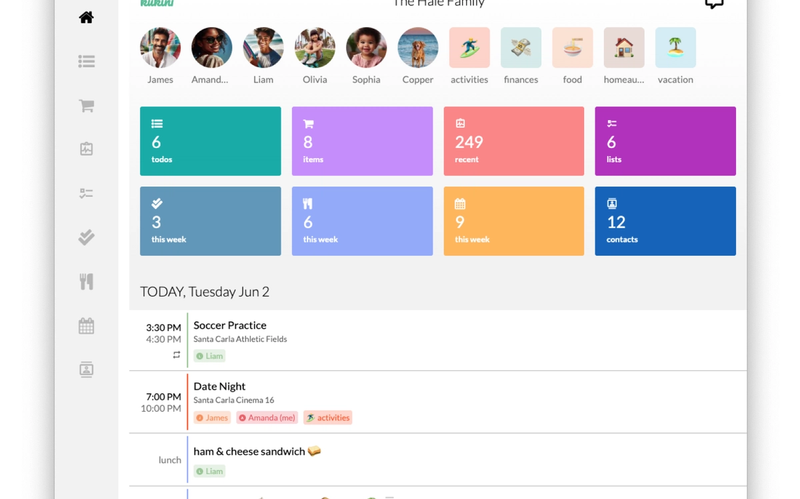
- View and manage family events and daily schedules.
- Help organize your recipes and weekly meal plans.
- Add and update your shopping lists.
Get Started Today
Ready to turn ChatGPT into your family’s personal assistant?
1) Open ChatGPT and navigate to the Plugin Directory.
2) Search for Kukini and click Install.
3) Sign in to your Kukini account and authorize access.
For more information and detailed step-by-step guidance, check out our AI Access Guide.
We’d love to hear how you’re using ChatGPT to simplify your family logistics—feel free to send us your feedback!