Web App Support
 Steven Pal • 3 min read • June 2, 2026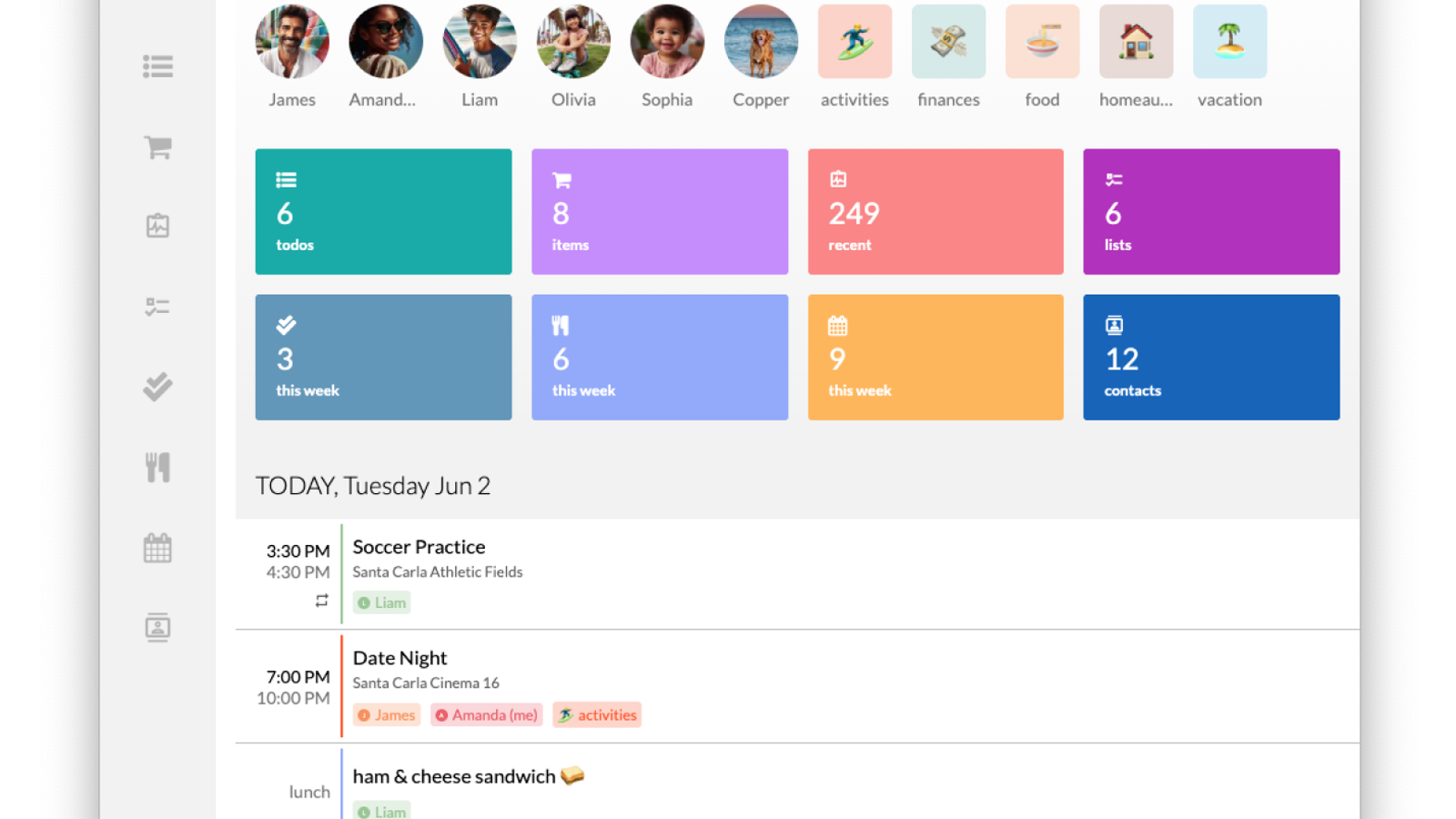
For a long time, one of the most requested features from our community has been the ability to access Kukini from a laptop or desktop computer. Today, we are incredibly excited to announce that Kukini Web is officially here!
Whether you’re planning out the week from your office desk or managing your family’s schedule on a larger screen, you can now access your family’s dashboard directly from any web browser.
Here is everything you need to know about this new release:
The Same Experience You Already Know
The web app is built using the same core foundations as our iOS and Android apps, meaning there is no steep learning curve. The user interface, your data, and the overall flow remain exactly the same. It’s the same familiar, easy-to-use experience you count on to keep your household running smoothly—just on a bigger screen.

To keep things streamlined for this initial rollout, a few mobile-specific features aren't available on the web version yet. You won't be able to sign up for a brand new account, import recipes, share contacts, switch between calendar views, or purchase premium subscriptions directly from your browser. For those actions, just hop back onto your mobile app!
Optimized for the Desktop: Persistent Drawer Navigation
While we wanted the experience to feel familiar, we also wanted it to feel like it belongs on a computer, not just a stretched-out phone app.
To make it feel like a true, native web application, we’ve replaced the mobile bottom tab navigation with a new persistent side drawer navigation. This takes advantage of the extra screen real estate on your monitor, making it faster and more intuitive to jump between your calendar, lists, and tasks without losing your place.

Snappier and More Responsive (Under-the-Hood Fixes)
Alongside web support, this release includes some important performance upgrades across the board. We squashed a few pesky bugs that were causing minor lag when responding to clicks or keystrokes. Whether you’re typing out a shopping list or clicking through your schedule, the app should feel a little smoother and more responsive.
How to Get Started
If you already have a Kukini account, you can log in right now by clicking on the Log In link in the top navigation.
We are always working to make managing family life just a little bit easier, and we can't wait to hear what you think of this new way to use Kukini. Log in, look around, and let us know your thoughts!