Turn Your Favorite AI Assistant into Your Family’s Personal Assistant
 Steven Pal • 5 min read • March 17, 2026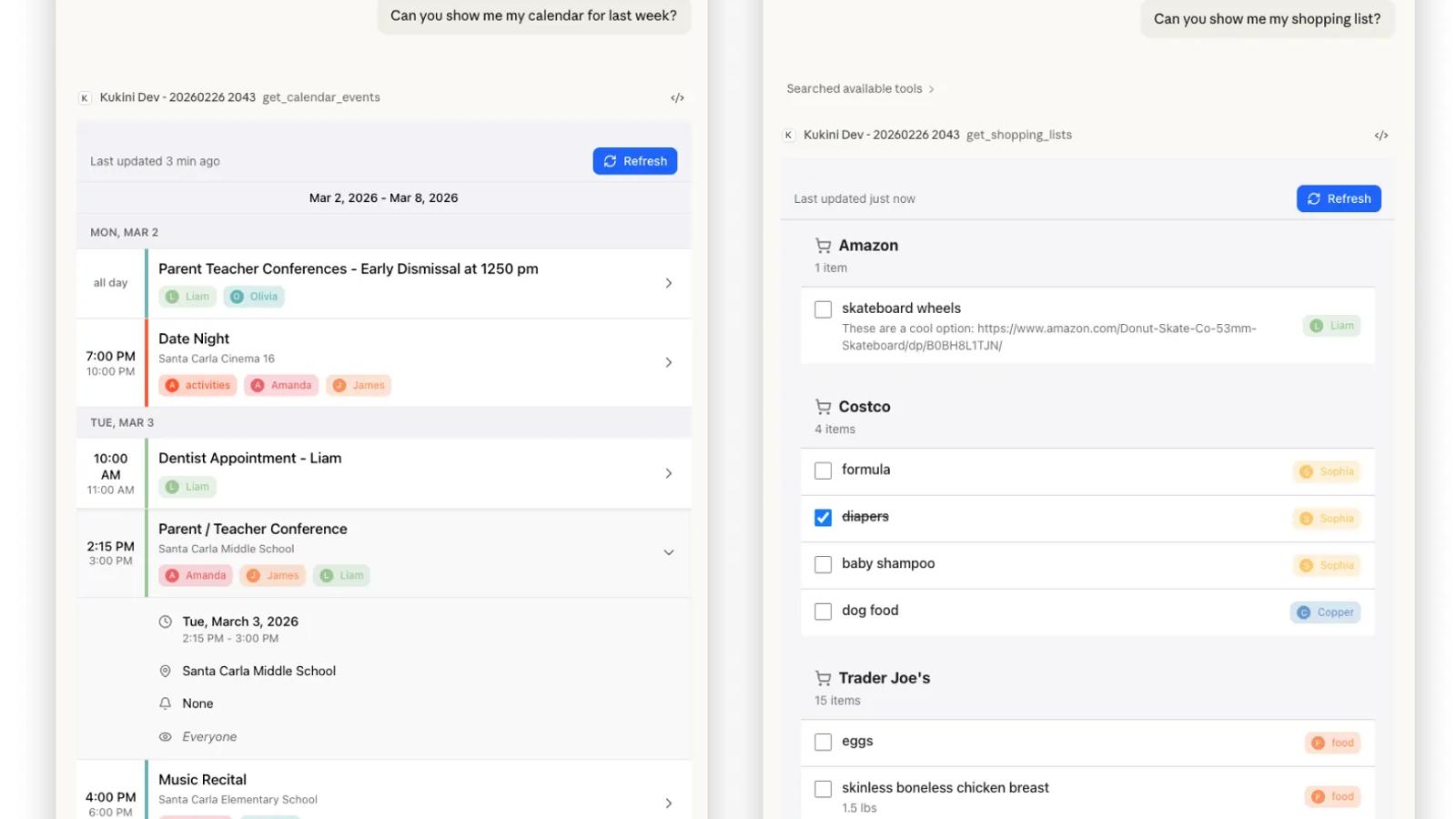
We’re excited to announce the launch of our new Model Context Protocol (MCP) server, allowing you to turn your favorite AI assistant into your family’s new personal assistant.
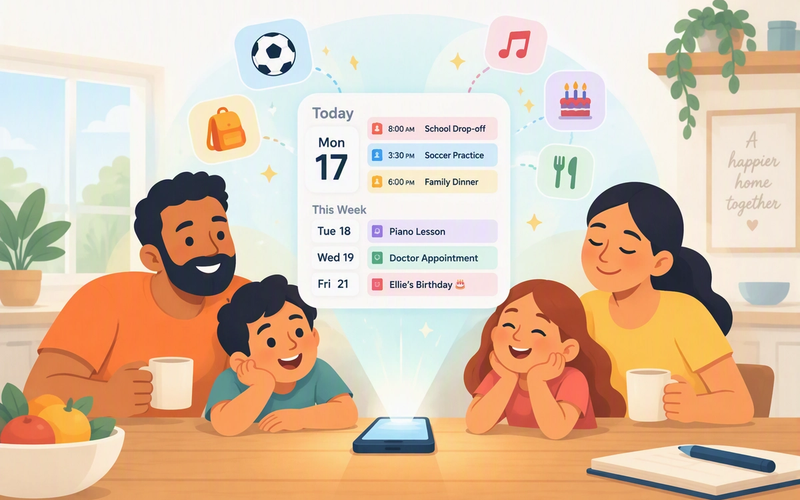
Most of us are already using AI to help with work, draft emails, or brainstorm ideas. But until today, those assistants were missing the most important part of your world: your family. They didn’t know your son’s soccer schedule, what meals were planned, or the fever you’ve been tracking for your toddler. Nor were they able to help you record these so they could be shared with the rest of your family.
We’re hoping to change that by giving your favorite AI assistants the context and tools they’ve been missing.
Introducing the Kukini MCP Server
The new Kukini Model Context Protocol (MCP) server is a secure bridge that connects Kukini to assistants like Claude and ChatGPT, allowing these agents to access and create data on your behalf in your Kukini account. You can now ask these AI assistants to help you manage your household—and you can do so directly from within their native interfaces. There’s not a closed-loop, siloed chatbot inside our app. Instead, you can just use the AI tools you already love and are comfortable working with, letting you combine Kukini with the world’s most powerful AI agents and models.

Distributing the Mental Load with Effortless Data Entry
One of the biggest challenges in running a household is the “mental load”. Family life happens fast and important details often stay trapped in one person’s head because it can feel like a second job to record and share them with others. It’s those details, though, that let the rest of the family understand what’s going on.
By using natural language to talk to Kukini via your AI, we’ve made it effortless to get that data out of your head and into the app. You can say things like:
Scheduling: “Add Olivia’s dentist appointment for next Tuesday at 10am and include James.”
Health Tracking: “Log a temperature of 101.5 for Liam and note that he’s acting lethargic.”
Meal Planning: “Add Chicken Enchiladas to the meal plan for tomorrow night and add all the ingredients to the grocery list.”
When you tell your assistant to record what’s going on, you aren’t just making a note for yourself; you’re distributing context to the whole family (and your AI assistant). Now, when a family member or agent checks the app, they see the update instantly. Your family or agent can only help out if they know what’s going on; we’re making sure they always do.
To make these interactions feel seamless, we’ve even added MCP App UIs. This means while the AI sees the data it needs to work, you see a familiar Kukini interface right inside the chat.

Automation & the Agentic Future
But this is more than just a hands-free notepad. Because AI models are capable of complex reasoning, they can now perform high-level coordination on your behalf:
Multimodal Analysis: “Take a look at this photo of Liam’s soccer season and add all of the practices and games to the calendar for him.”
Intelligent Planning: “Find one of our recipes that uses chicken and spinach, find a good day to make it for dinner this week, and add the ingredients (minus the pantry staples) to the grocery list.”
Complex Coordination: “Olivia has had a fever for three days. Summarize her health logs from the past week and draft an email to her pediatrician. You can find her email in our contacts.”
Over time, these assistants will become even more autonomous, like a digital member of the household that can anticipate needs and handle logistics before you even ask.
How to Get Started
AI Access is available today for all Kukini Premium subscribers. To get started:
- Visit our AI Access Page: Learn which MCP clients are supported, what your assistant can help you with, and detailed setup instructions.
- Connect your Assistant: Copy our secure server URL and paste it into a compatible client like Claude or ChatGPT. You’ll be prompted to log in securely via OAuth to grant your assistant permission to access your account data.
- Collaborate: Start asking your AI assistant for help.
Let’s Build the Future of the Family Home Together
We aren’t building technology just for the sake of technology. We want to know if this actually helps your family work more like a team. If you try out the new AI features, please reach out directly at support@kukiniapp.com. Whether it’s a bug report or a “lightbulb moment” for a new feature, we want to hear it.
Let’s build the future of the family home together.