Recipe Box and Faster Calendar Event Creation
 Steven Pal • 2 min read • November 6, 2025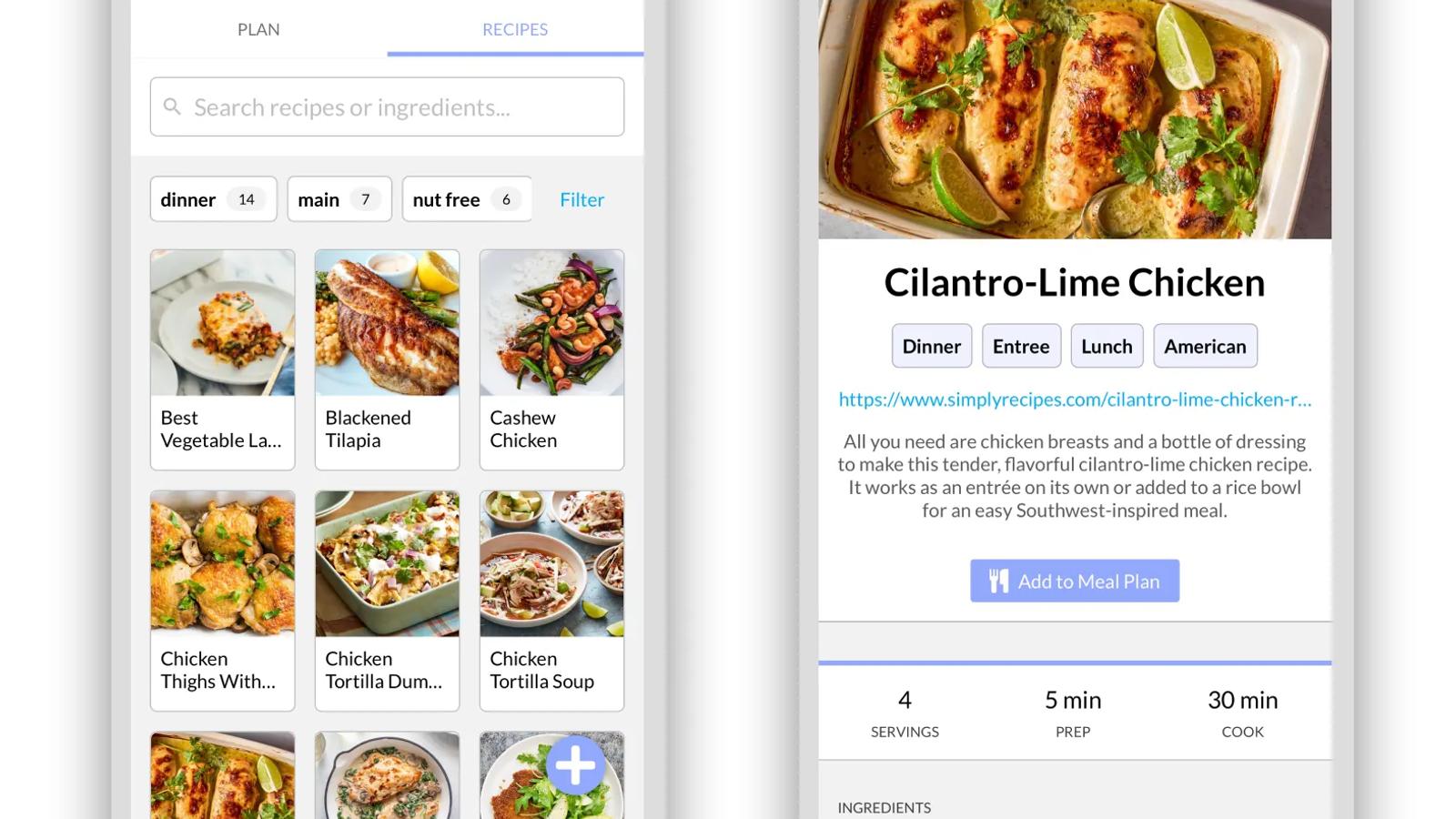
We’re excited to introduce another one of our most requested features — the Recipe Box! You can now store all of your family’s favorite recipes, schedule them in the Meal Planner, and easily add ingredients to your shopping lists. We also made adding calendar events even faster. You can now add Calendar events simply by taking a photo.
Recipe Box
In the team Meal Planner section, you’ll see a new tab titled Recipes. You can store all your family’s favorite go-to recipes here, whether they be family secrets or ones you’ve found on the web.

To add a recipe you’ve found online, just copy-and-paste the URL and we’ll automatically import the recipe.

You can easily search by recipe name or ingredient and filter by category, cuisine, or keywords, making it easy to find what’s next on the menu.
Scheduling Recipes in Meal Planner
Recipes are also fully integrated into the Meal Planner. As you’re creating a new meal, simply start typing a recipe name or ingredient and we’ll show you options inline to add to the meal’s menu. Alternatively, you can also browse through recipes or schedule an individual recipe while viewing it.

Adding Ingredients to Shopping List
We’ve also integrated Recipes with the Shopping List. You can easily add ingredients for an individual recipe, an entire meal, or an entire week’s worth of meals, ensuring you never miss anything on your weekly grocery run.

Create Calendar Events Using a Photo
The Calendar is also getting an upgrade. You can now create calendar events simply by taking a photo. Whether it’s a flyer for an event at your child’s school, an interesting community event poster you came across at your local library, an email invitation for a birthday party, or an interesting event you found on the web, just take a photo or screenshot and the app does the rest. We find the event information in the photo and automatically create it for you.